

Combiner une carte à puce et la norme FIDO2 lors de la connexion à Windows, même hors ligne
Combiner Smartcard et FIDO2 à la connexion Windows, même hors ligne
Une organisation régionale du secteur public en Europe nous a contactés avec un parc de systèmes Windows déjà sécurisé par une connexion via carte à puce. Ses utilisateurs transportent des cartes à puce, et certains d'entre eux se connectent là où il n'y a pas de réseau : des ordinateurs portables qui quittent le bâtiment et passent des heures sans aucune connexion à un système d'authentification central.
Lors de la connexion, Windows expose différents chemins d'identification natifs via ses fournisseurs d'identification, notamment le mot de passe, le code PIN, la carte à puce et Windows Hello, chacun étant une méthode solide en soi. Mais ces chemins ne sont pas conçus pour être librement enchaînés dans la séquence exacte désirée par cette organisation : d'abord le certificat de la carte à puce, puis une assertion FIDO2 distincte, aucun code PIN supplémentaire imposé à l'utilisateur, l'ensemble de l'opération fonctionnant hors ligne et une solution de repli MFA contrôlée pour le jour où une carte est perdue ou oubliée.
Chacune de ces exigences entre en conflit avec une hypothèse différente sur le fonctionnement de la connexion Windows.
Pourquoi ajouter FIDO2 alors qu'une carte à puce et un code PIN constituent déjà deux facteurs ?
Une connexion par carte à puce n'est pas faible et peut répondre à la définition classique de l'authentification multifacteur : quelque chose que vous possédez, la carte, et quelque chose que vous savez, le code PIN. L'objection est donc valable : pourquoi ajouter quoi que ce soit d'autre ?
La réponse réside dans la destination du code PIN. Une carte à puce utilisée pour la connexion à Windows contient généralement un certificat utilisateur et la clé privée correspondante sur un token matériel. L'utilisateur insère la carte, Windows lit le certificat, puis l'utilisateur saisit un code PIN. Ce code PIN n’est jamais transmis à un serveur ; il déverrouille la carte localement afin que la clé privée puisse être utilisée pour prouver la possession du certificat. Ce que le serveur vérifie, c’est l’authentification basée sur le certificat, étayée par la clé privée stockée sur la carte, et non le code PIN lui-même. Le code PIN protège cette seule information d’identification plutôt que d’ajouter une deuxième preuve vérifiée en soi.
Cette organisation souhaitait disposer d'une deuxième authentification, vérifiée de manière indépendante et liée à la personne plutôt qu'au seul token. Sur ces token, l’étape FIDO2 est vérifiée par une empreinte digitale enregistrée sur le token ; ainsi, la connexion combine quelque chose que vous possédez (le token), quelque chose que vous connaissez (le code PIN de la carte à puce) et quelque chose que vous êtes (l’empreinte digitale). Cela comble la lacune évidente : une carte à puce et un code PIN partagé ou divulgué ne suffisent pas à eux seuls, car l’étape FIDO2 nécessite toujours l’empreinte digitale enregistrée.
Ajout d'un facteur séparé après la connexion par carte à puce, sans remplacer les cartes
OpenOTP, notre serveur d'authentification, ajoute le facteur par-dessus la connexion par carte à puce existante grâce à son fournisseur d'informations d'identification Windows, fonctionnant avec les cartes déjà déployées plutôt que de nécessiter du nouveau matériel. Une fois le certificat de la carte à puce validé, il envoie une seconde requête d'authentification pour un facteur supplémentaire : une vérification confirme le certificat de la carte, l'autre valide le facteur ajouté.
Dans ce projet, le facteur ajouté était FIDO2, avec WebADM, la console centrale qui exécute les services de la suite, agissant en tant que partie de confiance qui vérifie l'assertion FIDO2. Ce qui a changé, c'est une deuxième preuve cryptographique située derrière la carte à puce, vérifiée en soi et régie par OpenOTP et politique WebADM.
Ces deux éléments d'authentification étaient distincts au niveau de la couche d'authentification, même si, dans ce déploiement, ils étaient pris en charge par le même dispositif physique token : les cartes à puce contenaient également les identifiants FIDO2, de sorte qu'un seul token remplissait une double fonction. Cela simplifie l'approvisionnement et la gestion par les utilisateurs, mais cela modifie également la procédure à suivre en cas de perte du token.
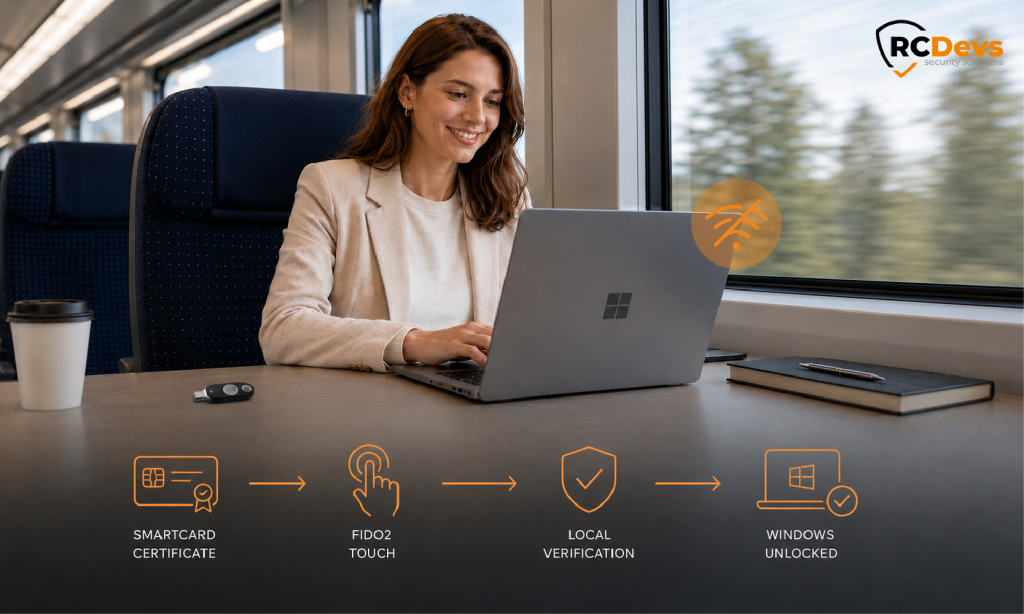
Un code PIN et une empreinte digitale, pas deux codes PIN
Un dispositif token qui fait à la fois office de carte à puce et d'authentificateur FIDO2 peut demander deux codes PIN lors de la connexion : le code PIN de la carte à puce pour déverrouiller le certificat, puis un code PIN FIDO2 pour déverrouiller la clé. Devoir saisir deux codes PIN à chaque connexion est le genre de complication qui suscite des plaintes de la part des utilisateurs et met l'équipe informatique sur la défensive.
FIDO distingue deux éléments : la « présence de l’utilisateur », c’est-à-dire le contact physique qui prouve qu’une personne est bien là, et la « vérification de l’utilisateur », qui consiste en un code PIN ou une donnée biométrique enregistrée sur la clé elle-même. Ces deux éléments peuvent être exigés indépendamment l’un de l’autre. Ces clés token sont équipées d’un capteur d’empreintes digitales ; la vérification de l’utilisateur selon la norme FIDO est donc assurée par une empreinte digitale plutôt que par un deuxième code PIN. L’utilisateur saisit une seule fois le code PIN de la carte à puce, puis pose son doigt sur le capteur : un seul geste qui prouve à la fois sa présence et vérifie l’empreinte digitale sur le token. Il n’y a pas de deuxième code PIN, et la réponse FIDO2 reste protégée contre le phishing.
Un deuxième facteur qui maintient le travail hors ligne
De nombreux seconds facteurs nécessitent une connectivité : un OTP par e-mail ou SMS, une notification push, un appel vocal. Pour les utilisateurs qui travaillent hors réseau, c'est le point de défaillance.
Le fournisseur d'authentification OpenOTP passe automatiquement en mode hors ligne lorsque le backend est inaccessible, et la carte à puce et FIDO2 peuvent fonctionner dans ce mode. FIDO2 convient à cela car il repose sur la cryptographie asymétrique : une fois le point de terminaison initialisé lors d'une connexion en ligne précédente, l'authentificateur répond à un défi et la réponse est vérifiée localement selon la politique hors ligne.
Le prérequis mérite d'être signalé, car il affecte le déploiement : l'utilisation hors ligne nécessite au moins une connexion en ligne réussie préalable par utilisateur et par machine, ce qui initialise les données hors ligne sur le point de terminaison. Après cela, un utilisateur sur un ordinateur portable déconnecté effectue la même connexion par carte et par contact qu'il ferait sur le réseau.
C'est pourquoi FIDO2 répondait à l'exigence hors ligne où un code envoyé par e-mail ou par SMS ne le pourrait pas : il peut être vérifié sur le point de terminaison, sans atteindre quoi que ce soit.
Que se passe-t-il lorsqu'un utilisateur perd ou oublie sa carte à puce
Étant donné qu’une carte token contient à la fois le certificat et l’identifiant FIDO2, la perte ou l’oubli de la carte entraîne la suppression simultanée des deux facteurs d’authentification, ce qui, en l’absence de solution de secours, se traduit par des blocages que l’équipe informatique doit alors résoudre. C’est précisément pour ce genre de situation que la solution de secours a été mise en place.
Un second fournisseur d'identité réside sur le point de terminaison, à côté de celui de la carte à puce. Lorsque la carte est absente, l'utilisateur sélectionne l'autre vignette et s'authentifie avec un nom d'utilisateur et un mot de passe, mais le mécanisme de secours est toujours multi-facteurs : le mot de passe seul ne suffit pas, et l'utilisateur doit valider un code d'urgence unique livré via l'application OpenOTP Token ou par e-mail. Le chemin de la carte à puce reste le chemin par défaut. Étant donné qu'un code livré doit arriver, cette voie de récupération est en ligne, contrairement à la voie hors ligne carte et FIDO2.
Ce que cette configuration MFA par carte à puce Windows donne à l'utilisateur, et à l'administrateur
L'utilisateur obtient une connexion Windows qui demande un code PIN et une empreinte digitale, fonctionne de la même manière sur un ordinateur portable déconnecté qu'en réseau, et lui permet toujours de se connecter même lorsque sa carte est absente. La connexion par carte à puce est conservée, avec un facteur distinct qui est vérifié en soi et lié à la personne, et l'identité reste sur site.
Pour l'administrateur, les facteurs d'authentification, le comportement hors ligne et la solution de secours sont gérés via des règles définies dans WebADM, la console à partir de laquelle le reste de la suite est déjà exécuté, et aucune nouvelle carte ni aucun nouveau dispositif token n'a dû être émis pour ajouter le deuxième facteur d'authentification.
Pour en savoir plus
- Connexion Windows et RDS : https://www.rcdevs.com/solutions/windows/
- Connexion et NAC utilisant la PKI : https://www.rcdevs.com/solutions/pki/
- Authentification FIDO2 : https://www.rcdevs.com/solutions/fido2/
- Licence et fonctionnalités : https://www.rcdevs.com/license-features/
Une carte à puce et un code PIN répondent à la définition classique de l’authentification multifactorielle, mais le code PIN ne sert qu’à déverrouiller la carte localement et à protéger un seul identifiant. L'ajout de la vérification FIDO2 par empreinte digitale introduit une deuxième assertion liée à la personne : la connexion combine alors quelque chose que vous possédez (le token), quelque chose que vous connaissez (le code PIN) et quelque chose que vous êtes (l'empreinte digitale), de sorte que la divulgation du code PIN à elle seule ne permet pas d'accéder au système.
Le fournisseur d'informations d'identification Windows d'OpenOTP envoie une deuxième demande d'authentification après la validation du certificat, fonctionnant avec les cartes déjà déployées plutôt qu'avec du nouveau matériel. Dans ce projet, le facteur supplémentaire était FIDO2.
Les deux facteurs fonctionnent dans le mode hors ligne du fournisseur d'identification, qui s'active lorsque le backend est inaccessible. L'utilisation hors ligne nécessite au moins une connexion en ligne préalable par utilisateur et par machine pour initialiser les données hors ligne.
La vérification de l'utilisateur selon la norme FIDO peut s'effectuer à l'aide d'un code PIN ou d'un identifiant biométrique. Ces appareils token étant équipés d'un capteur d'empreintes digitales, l'étape FIDO2 est validée par une empreinte digitale plutôt que par un deuxième code PIN ; le code PIN de la carte à puce reste donc le seul code PIN utilisé.
Un deuxième fournisseur d'authentification permet à l'utilisateur de se connecter avec un nom d'utilisateur et un mot de passe, plus un code d'urgence à usage unique via l'application OpenOTP Token ou par e-mail, de sorte que le système de secours reste multi-facteurs plutôt que par mot de passe uniquement. Comme le code doit être livré, ce chemin nécessite une connectivité.
Le facteur est ajouté sur site via le fournisseur d'informations d'identification Windows, FIDO2 étant vérifié par WebADM en tant que partie de confiance. L'identité reste sur site.
