

L'authentification multifactorielle (MFA) sous Windows qui fonctionne même hors ligne : renforcer la sécurité des connexions Windows grâce au fournisseur d'identifiants OpenOTP
Authentification multifacteur Windows qui fonctionne hors ligne : Renforcer les connexions Windows avec OpenOTP Credential Provider
La sécurité de la connexion Windows est souvent considérée comme un contrôle dépendant du réseau. Les utilisateurs s'authentifient auprès d'un domaine, l'authentification multifacteur (MFA) est vérifiée auprès d'un backend, et l'accès n'est accordé que lorsque le point de terminaison peut atteindre le service d'authentification. Ce modèle fonctionne bien à l'intérieur du réseau d'entreprise, mais il crée une faille sérieuse pour les utilisateurs mobiles, les postes de travail partagés, les succursales, les télétravailleurs et les administrateurs se connectant via RDP.
Le mode Credential Provider OpenOTP pour Windows comble cette lacune en intégrant directement l'authentification RCDevs OpenOTP au processus de connexion Windows. Il ajoute l'authentification multifactorielle (MFA) aux sessions Windows, prend en charge plusieurs méthodes d'authentification et s'intègre à un système centralisé Stratégies WebADM, et peut continuer appliquer l'authentification multifacteur même lorsque le poste de travail est hors ligne ou le service OpenOTP est temporairement inaccessible.
Sécuriser l'accès à Windows à l'écran de connexion
Le fournisseur d'identification OpenOTP pour Windows intègre la double authentification OpenOTP dans l'authentification native de Windows. Une fois installé, il peut demander un second facteur à l'utilisateur lors de la connexion à Windows, de l'authentification Bureau à distance, des scénarios d'élévation CredUI/UAC, et de l'accès basé sur carte à puce, en fonction de la configuration de l'organisation. Les administrateurs peuvent également définir des identifiants client spécifiques pour les scénarios LogonUI, CredUI et RDP, permettant ainsi d'appliquer différentes politiques OpenOTP à différents contextes d'accès Windows.
Cela donne aux équipes informatiques un une manière cohérente de protéger les points d'entrée Windows de grande valeur, y compris :
- le poste de travail se déverrouille
- commandes privilégiées
- connexions au serveur
- et les sessions Bureau à distance
Au lieu de s'appuyer uniquement sur les mots de passe, les organisations peuvent exiger des OTP, des notifications mobiles, des cartes à puce, des clés de sécurité FIDO2 ou d'autres méthodes d'authentification prises en charge par OpenOTP.
Principales fonctionnalités du fournisseur d'identifiants OpenOTP pour Windows
OpenOTP Credential Provider est conçu pour les environnements Windows d'entreprise où la sécurité, la flexibilité et la continuité opérationnelle sont importantes.
Authentification multifacteur pour la connexion Windows : Les utilisateurs peuvent s'authentifier avec leurs informations d'identification Windows, puis compléter l'authentification multifacteur à l'aide d'un code OTP, d'une notification push, de FIDO2 ou d'une authentification basée sur carte à puce.
Assistance à distance : OpenOTP permet de sécuriser l'authentification RDP grâce à une configuration dédiée de l'identifiant client RDP pour le contrôle des politiques. Les clés de sécurité FIDO2 sont également prises en charge pour l'authentification RDP via Windows Hello, sous réserve d'une version compatible de Windows et d'une configuration appropriée du client Microsoft Remote Desktop.
Authentification par carte à puce avec authentification multifacteur (MFA) facultative supplémentaire : Les organisations utilisant des cartes à puce peuvent ajouter un autre facteur OpenOTP après une connexion réussie par carte à puce, renforçant ainsi l'accès Windows basé sur des certificats.
Authentification hors ligne : Les utilisateurs peuvent toujours se connecter à Windows avec protection MFA lorsque le poste de travail ne peut pas atteindre OpenOTP, en utilisant des méthodes hors ligne prises en charge telles que le jeton OpenOTP, les clés FIDO2 et, à partir de la version 3.0.15 d'OpenOTP-CP, la connexion hors ligne par carte à puce.
Inscription en ligne : À partir de la version 4.0.0.0 du fournisseur d'identifiants OpenOTP, les utilisateurs ne disposant pas d'un identifiant token enregistré peuvent s'inscrire lors de leur première connexion à Windows via le composant d'auto-inscription.
Observateur d'événements : Le service Event Watcher, disponible en option, permet de capturer les journaux d'événements Windows liés aux sessions authentifiées via OpenOTP et de les envoyer à WebADM. Il collecte par défaut les événements de connexion et de déconnexion et peut être configuré à l'aide de règles XPath pour une collecte d'événements plus ciblée.
Commandes de verrouillage de session : Avec Event Watcher et OpenOTP Badging combinés, les sessions peuvent être verrouillées lorsque la session WebADM expire, lorsqu'un utilisateur badge une sortie de l'application OpenOTP Token, ou lorsque la machine Windows ne peut plus atteindre le service OpenOTP.
Gestion centralisée des politiques : Grâce à WebADM et aux stratégies client OpenOTP, les administrateurs peuvent appliquer différentes règles pour la connexion locale, RDP et les scénarios CredUI/UAC.
Déploiement flexible : Le fournisseur d'informations d'identification peut être installé manuellement ou déployé en mode silencieux à l'aide de paramètres MSI, ce qui le rend particulièrement adapté aux parcs importants de postes de travail et de serveurs.
Prise en charge des scénarios de domaine, de groupe de travail et d'ID Entra : Le fournisseur d'informations d'identification prend en charge les ordinateurs joints à un domaine, les ordinateurs en groupe de travail et les ordinateurs joints à Entra ID, avec une configuration supplémentaire disponible pour la mise en correspondance des identités Entra ID.
La fonctionnalité indispensable en cas de panne du réseau : l'authentification multifactorielle hors ligne
Capacité hors ligne est l'un des différenciateurs les plus importants d'OpenOTP Credential Provider pour Windows.
Pour de nombreuses solutions d'authentification multifactorielle (MFA), la perte de connectivité réseau pose un dilemme : bloquer complètement l'utilisateur ou revenir à une connexion par mot de passe uniquement. Aucune de ces options n'est idéale. Le blocage des utilisateurs perturbe les activités de l'entreprise, tandis que le recours à la connexion par mot de passe uniquement affaiblit le modèle de sécurité précisément au moment où la visibilité et le contrôle risquent déjà d'être réduits.
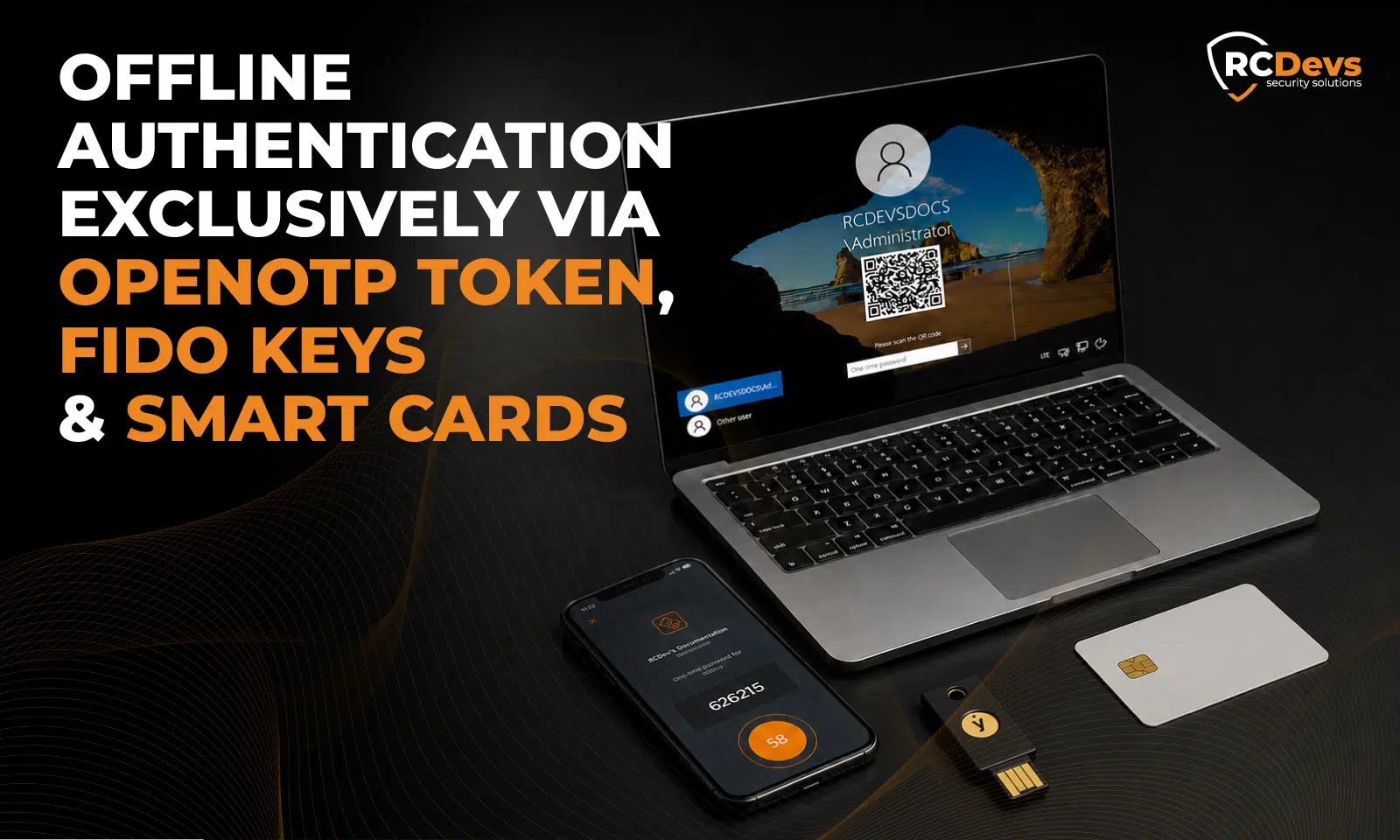
OpenOTP offre une meilleure voie. Lorsque le mode hors ligne est activé et correctement préparé, les utilisateurs Windows peuvent toujours se connecter avec une authentification multifacteur (MFA) même lorsque le point de terminaison ne peut pas contacter le backend OpenOTP. Le fournisseur d'informations d'identification bascule automatiquement en mode hors ligne lorsque le service OpenOTP est inaccessible. En fonction de la méthode d'authentification, l'utilisateur peut scanner un code QR avec l'application OpenOTP Token pour générer un OTP ou s'authentifier avec une clé FIDO2.
Ceci est particulièrement précieux pour :
- Les employés en déplacement qui utilisent des ordinateurs portables sans connexion Internet.
- Les télétravailleurs qui doivent déverrouiller Windows avant de se connecter au VPN.
- Bureaux distants avec des liaisons WAN instables.
- Postes de travail partagés où l'authentification multifacteur doit rester appliquée.
- Les administrateurs qui ont besoin d'un accès sécurisé aux serveurs en cas d'incidents réseau.
- Environnements où le retour à une connexion par mot de passe uniquement n'est pas acceptable.
Comment l'authentification hors ligne fonctionne
Connexion hors ligne nécessite d'abord une connexion en ligne réussie. Cette connexion en ligne prépare l'état hors ligne pour cet utilisateur spécifique sur cette machine Windows spécifique. Pour les ordinateurs partagés, chaque utilisateur doit effectuer une connexion en ligne sur chaque machine où l'authentification hors ligne doit être disponible.RCDevs | Centre de documentation)
Une fois l'état hors connexion disponible, l'expérience utilisateur reste simple. L'utilisateur saisit ses informations d'identification Windows. Si le fournisseur d'informations d'identification ne peut pas atteindre OpenOTP, il démarre automatiquement le flux hors connexion. Avec Token OpenOTP, l'utilisateur scanne le QR code affiché et saisit l'OTP généré. Avec FIDO2, l'utilisateur s'authentifie avec la clé de sécurité.
Il faut aussi noter plusieurs points opérationnels importants:
- un token compatible doit déjà être enregistré,
- l'inscription aux notifications push est requise pour l'utilisation hors ligne avec l'application OpenOTP Token,
- et toutes les clés FIDO2 enregistrées peuvent fonctionner hors ligne tant qu'une seule clé est connectée lors de l'authentification.
Pour les machines jointes au domaine, Windows vérifie toujours le mot de passe de l'utilisateur localement, de sorte que la stratégie de credentials mis en cache doit autoriser l'utilisateur à se connecter lorsque le contrôleur de domaine est indisponible.
En pratique, cela signifie que l'authentification multifacteur hors ligne n'est pas un mode de sécurité dégradé. Il s'agit d'une fonctionnalité de continuité qui permet aux organisations de maintenir l'application de l'authentification multifacteur active lorsque la connectivité est indisponible.
Inscription en ligne : intégration MFA directement à partir de la connexion Windows
Authentification forte ne fonctionne qu’à grande échelle lorsque l’inscription est simple. Le fournisseur d'identification OpenOTP prend désormais en charge inscription en ligne lors de la première tentative de connexion pour les utilisateurs qui ne disposent pas encore de la méthode OTP requise.
Lorsque OpenOTP détecte qu'un utilisateur n'a pas de token enregistré, l'écran de connexion Windows peut afficher un Jeton d'inscription bouton après la validation du nom d'utilisateur et du mot de passe. L'utilisateur est ensuite guidé dans l'application d'auto-enregistrement de l'utilisateur via une vue Web, où les options d'inscription disponibles dépendent de la configuration d'auto-enregistrement de l'organisation.
Les méthodes d'enregistrement en ligne prises en charge comprennent les clés matérielles OTP, les YubiKeys, les clés OTP logicielles telles que OpenOTP Token, Google Authenticator et Microsoft Authenticator, ainsi que les clés FIDO2 pour les scénarios RDP.
Cela élimine un obstacle courant au déploiement de l'authentification multifactorielle (MFA). Au lieu d'exiger que chaque utilisateur s'inscrive au préalable via un portail distinct avant que la MFA Windows puisse être appliquée, les entreprises peuvent guider les utilisateurs tout au long de l'inscription à token directement lors de la procédure de connexion à Windows. Il en résulte un processus de première connexion plus fluide, une diminution du nombre de tickets d'assistance et une adoption plus rapide de la MFA sur les terminaux Windows.
Conçu pour les environnements Windows d'entreprise
Au-delà de l'authentification elle-même, OpenOTP Credential Provider inclut les fonctionnalités de déploiement et de contrôle dont les administrateurs ont besoin en production.
L'installateur prend en charge la configuration automatique et manuelle des URL WebADM/OpenOTP, la gestion des certificats CA, l'authentification optionnelle par clé API ou certificat client, les paramètres proxy, la configuration du délai d'attente SOAP et les politiques de sélection de serveur telles que le routage ordonné, équilibré ou cohérent.
Les organisations peuvent également personnaliser le formulaire de connexion, choisir des mises en page d'authentification simples ou normales, ajouter des images de vignettes de connexion personnalisées, configurer la création de comptes locaux pour les scénarios hors domaine, et traduire ou personnaliser les messages du fournisseur d'identification.
Pour les déploiements importants, le package MSI prend en charge l'installation silencieuse avec des paramètres de configuration, permettant aux équipes informatiques de déployer OpenOTP Credential Provider sur de nombreux clients Windows sans interaction utilisateur.
Un modèle plus solide pour la sécurité de la connexion Windows
L'accès à Windows est trop important pour dépendre uniquement des mots de passe. Il est également trop important pour dépendre d'une disponibilité réseau parfaite. OpenOTP Windows Credential Provider offre aux organisations un modèle plus résilient : Authentification multifacteur centralisée en ligne, maintien de l'application de l'authentification multifacteur hors ligne, méthodes d'authentification flexibles, prise en charge robuste pour RDP et cartes à puce, visibilité des événements, et interface intuitive en ligne inscription.
Pour les organisations qui sécurisent les stations de travail Windows, les serveurs, les ordinateurs partagés et l'accès aux bureaux à distance, OpenOTP Windows Credential Provider rapproche l'authentification multifacteur du point d'accès : l'écran de connexion Windows lui-même.
Et quand le réseau disparaît, la sécurité ne doit pas disparaître avec lui.
