
WebADM-Überwachungskonsole
OpenOTP Eigenschaften
WebADM Überwachungskonsole
Das WebADM Überwachungskonsole bietet Administratoren eine zentralisierte Echtzeitansicht ihrer WebADM-Umgebung, einschließlich Authentifizierungsaktivität, Plattformzustand, Konnektorverfügbarkeit, Protokolle, Benachrichtigungen, Lizenzen und Service-Metriken. Es hilft Teams, den Systemstatus schnell zu verstehen, Probleme zu erkennen und die allgemeine Infrastrukturleistung zu überwachen. Ein Dashboard .
WebADM Überwachungskonsole
Zentralisierte Echtzeitüberwachung für WebADM
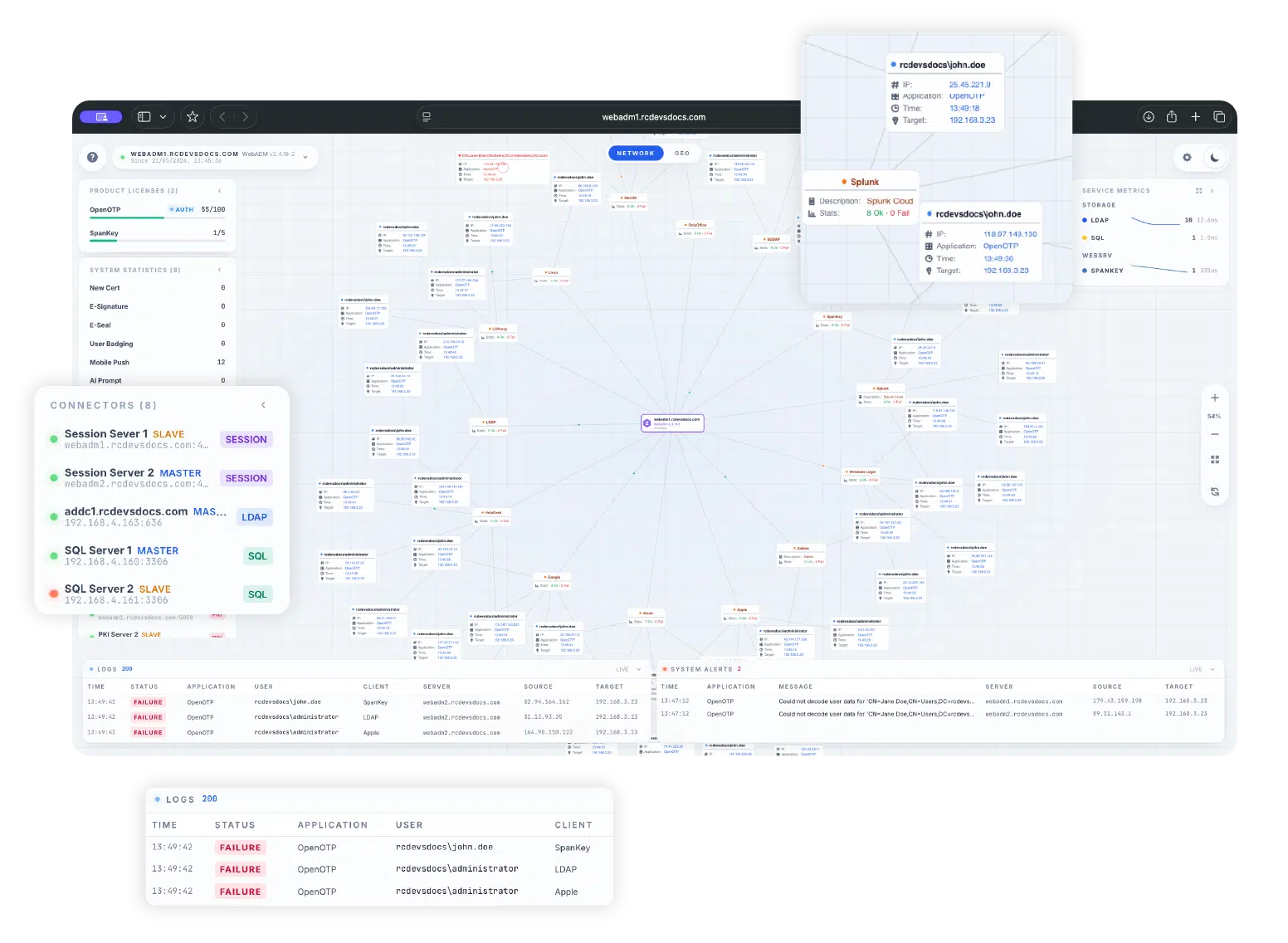
Live-Authentifizierung Aktivität
Protokollieren Sie die Anmeldeaktivitäten systemübergreifend und visualisieren Sie Authentifizierungsflüsse in Echtzeit. Die Konsole hilft Administratoren zu verstehen, woher Authentifizierungsanfragen kommen und wie sie in der WebADM-Umgebung verarbeitet werden.
Lizenz Sichtbarkeit
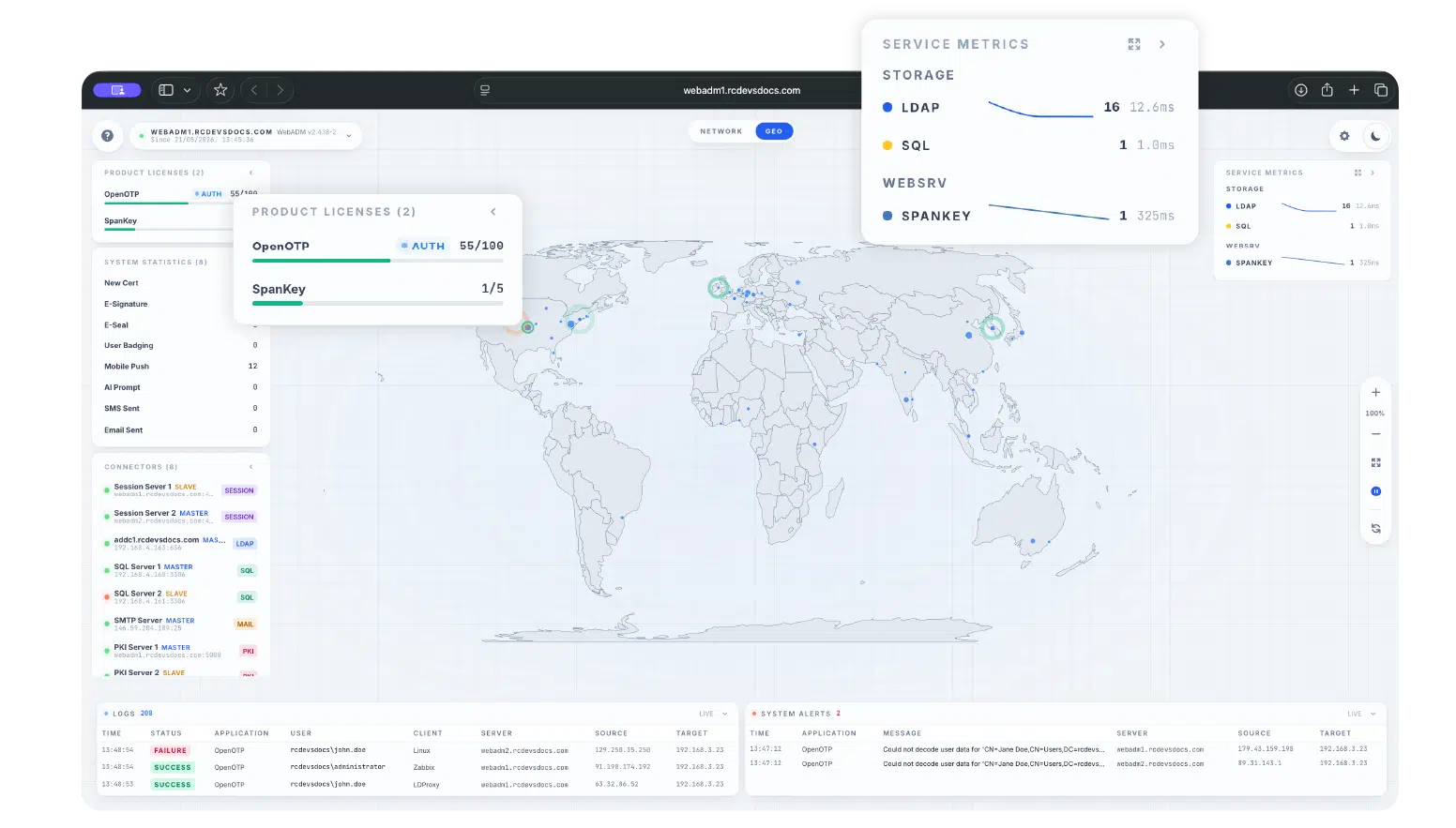
Aktuelle Nutzung im Verhältnis zur Lizenzkapazität für WebADM-Produkte wie OpenOTP und SpanKey anzeigen, um Administratoren die Verfolgung des Produktverbrauchs über die Überwachungsoberfläche zu ermöglichen.
Protokolle und Benachrichtigungen
Zeigen Sie aktuelle Authentifizierungsereignisse und aktive Plattformwarnungen direkt in der Konsole an. Administratoren können Ereignisdetails wie Zeitstempel, Status, Anwendung, Benutzer, Client, Server, Quell-IP und Ziel überprüfen.
System Statistik
Zugriff auf operative Zähler für Plattformaktivitäten, einschließlich Zertifikaten, E-Signaturen, E-Siegeln, mobilen Push-Benachrichtigungen, SMS-Aktivitäten, Benutzer-Badging, KI-Berichten und zugehörigen WebADM-Diensten.
Verbindungsstatus Überwachung
Überwachen Sie den Status konfigurierter Backends und Connectors, einschließlich Sitzungsservern, LDAP-Verzeichnissen, SQL-Datenbanken, SMTP, PKI und Proxy-Connectors. Statusanzeigen erleichtern die Identifizierung nicht verfügbarer oder beeinträchtigter Komponenten.
Dienst Metriken
Verfolgen Sie Latenz- und Durchsatzstatistiken für OpenOTP, SpanKey, LDAP und SQL-Backends, um die Service-Leistung und die Reaktionsfähigkeit der Backends besser zu verstehen.
Starten Sie die Überwachung Ihrer WebADM-Umgebung In Echtzeit
Verwenden Sie die WebADM Monitoring Console, um die Sichtbarkeit der Authentifizierungsaktivitäten, des Systemzustands, der Konnektoren, Protokolle, Benachrichtigungen, Lizenzen und Servicemetriken zu zentralisieren.
Sicherer Zugriff nach Design
Die Überwachungskonsole ist standardmäßig deaktiviert und muss explizit aktiviert werden, indem der Konsolenzugriff tokens in der WebADM-Konfigurationsdatei konfiguriert wird.
Bei direktem Zugriff erfordert die Konsole eine Authentifizierung token, bevor eine Verbindung zum Überwachungsstrom hergestellt wird.
Administratoren sollten die Konsolen-tokens als vertrauliche Geheimnisse behandeln, sie regelmäßig austauschen und den Zugriff auf /console/* ausschließlich auf vertrauenswürdige Verwaltungsnetzwerke beschränken.
Schlüsselantworten auf Fragen
Was ist die WebADM Monitoring Console?
Welche WebADM-Version enthält die Monitoring Console?
Ist die Monitoringkonsole standardmäßig aktiviert?
Welche Dienste können überwacht werden?
Kann die Konsole geografische Anmeldeaktivitäten anzeigen?
Muss ich bei WebADM angemeldet sein, um auf die Monitoring Console zugreifen zu können?
SEHEN
IST GLAUBEN
Unabhängig davon, ob Sie ein Auto oder eine Sicherheitslösung kaufen, möchten Sie immer eine Probefahrt machen, bevor Sie auf der gepunkteten Linie unterschreiben. Wir wissen das und Sie wissen das.
Kontaktieren Sie uns für Ihre Kostenloser PoC oder testen Sie sich selbst.
